

The consultation is the equivalent of the Regulation 19 consultation that many of you participated in for Enfield’s draft Local Plan. That means it is focused on whether the draft London Plan is sound or unsound, which are technical planning terms. Please don’t let that put you off. By following our guidance, you don’t need to address soundness. Several thousand of you responded to the Enfield consultation using our suggested responses, and we are providing equivalent arguments to key areas again. Please remember to put them in your words, if possible.
Here are the steps for completing the consultation:
1 Go to: https://consult.london.gov.uk/londonplan
2 Register – you cannot complete the surveys without registering. Please write down your registration details as you will need them to log in again if you continue later with another survey.
3 Once you have registered, you will see this page.
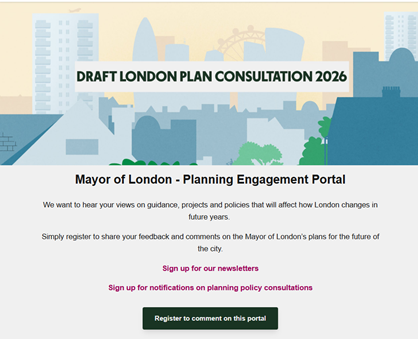
4 Scroll down and click on this box:
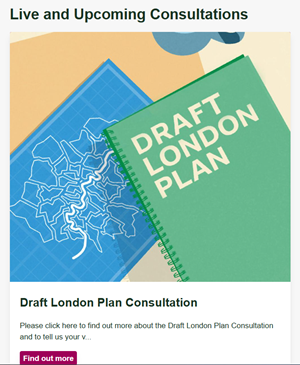
5 You are now on the main Draft London Plan Consultation page. Everything happens from this home page.

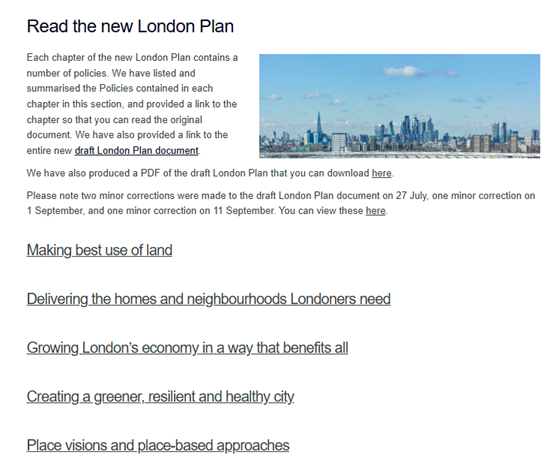
6 If you want to read the complete plan click “Read the new London Plan”.
7 This will take you to a page where they give a number of ways to read/ download the complete plan.
8 Each time you leave the main page, you can return to it by clicking “About this consultation”. Or by going back to: https://consult.london.gov.uk/londonplan
9 All the evidence documents can be found at: https://www.london.gov.uk/programmes-strategies/planning/london-plan/next-london-plan/london-plan-evidence
10 It is a good idea to download the consultation questionnaires/ surveys before trying to complete them because you cannot save a partially completed response. The consultation website advises:
Please note that it is not possible to save a partial response made through our questionnaires and return to it at a later date but it may be helpful to prepare your response separately using our downloadable questionnaires, and paste your responses in when ready. See the tab ‘More information’ for downloadable questionnaires. We anticipate that each questionnaire would take around 15 minutes to complete, depending on the amount of feedback you have and the number of policies you wish to comment on.
To access the downloadable questionnaires, click “More information” and scroll down.
You will see FIVE separate chapters [Chapters 2 to 6] which can each be downloaded separately.
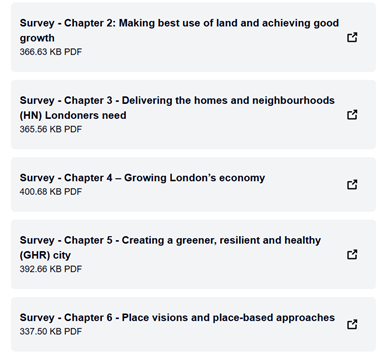
We have also downloaded these documents to our website and you can find them here. [Note: You do not have to complete all the chapters before you submit. Submitting individual chapters as you complete them is fine. You do not have to complete each chapter.]
11 Once you have rehearsed your responses and know what you want to say, proceed with the surveys. [Select the chapters that you want to respond to. You do not have to complete every survey.] First click on ‘Tell Us Your Views’ and you will see this:
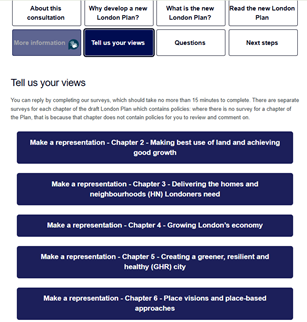
- Click on the relevant survey – we are using Chapter 2 as an example.
Each survey starts the same way:
- Questions 1 – 3 are about you and the overall process. Complete them as appropriate [Probably Q1 – member of the public; Q2 -community and resident groups; and Q3 – Yes] Please note: the layout and question numbers are different from the practice version. Online the comment boxes only appear if you click certain options and Q4 is Q3
- The online survey itself will also look different from the downloaded practice version, because the comment boxes aren’t evident. Don’t worry. Once you click No or Don’t Know a comment box allowing up to 20,000 characters will appear.
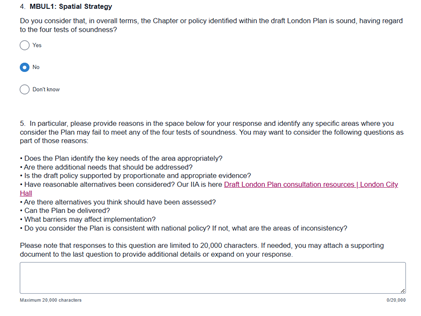
13 Paste your response into the comment box. The comment boxes don’t carry over any formatting so will look like this:

14 Skip over any policies you are not responding to.
15 Q16 asks if you would like to attend the Examination in Public [It may be a different number in the different surveys but look for this question] Answer – No
16 At the end you have a chance to upload any evidence you would like to submit.

17 Check that you are happy with what you’ve done and have completely finished this particular survey, then click Submit. The instructions state:
Please only hit ‘Submit’ once you have made all of the comments on this chapter that you wish to make. You will then be taken to a new page which will thank you for your submission. If you wish to comment on another chapter of the draft London Plan, please click the button on this page marked ‘Back to project page’.
When you click ‘Back to project page’ you will need to click Tell Us Your Views again to access the surveys. Repeat for any other chapters you are responding to.
You will receive an email for each submission with your full response.